Monthly revenue
Monthly downloads
Rating
Price
Monthly revenue
Monthly downloads
Rating
Price
Subscribe to see revenue estimates, ads, complaints and keywords.
Launch offer: 50% off until October 31, 2026
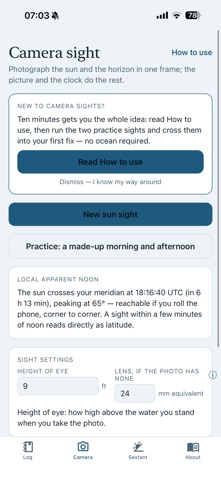
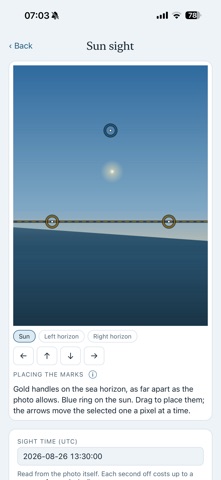
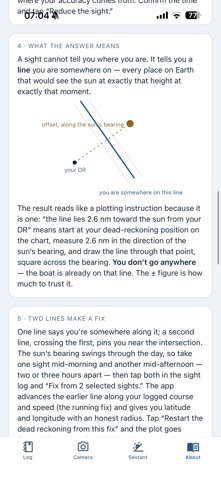
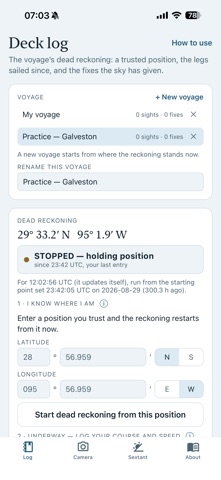
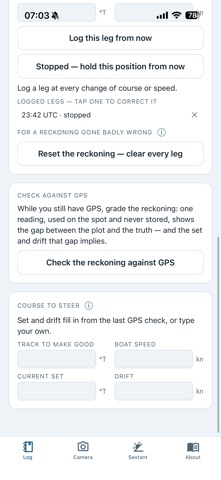
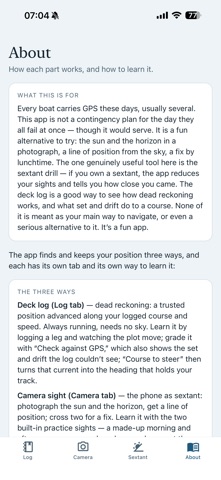
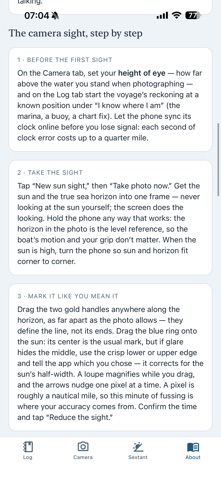
A camera sextant, for the fun of it. Noon, a clean horizon, and an hour on watch. Rainbow’s Arc takes a sun sight from a photograph: the sun and the sea horizon in one frame, worked against a built-in almanac into a line of position, and two lines into a fix. If you own a sextant, its drill scores your sights against where you really are. Every boat carries GPS these days, usually several. This app is not a contingency plan for the day they all fail at once — though it would serve. It is a fun alternative to try, and it holds your position three ways — a camera sextant, a drill for your real sextant, and a deck log of dead reckoning — that reinforce each other: the log carries you between sights, the sights correct the log, and the gap between them is the current talking. The nautical almanac (sun, four planets, twenty-one named stars, computed on the phone through 2050), the math, and your deck log all live on the device. THE CAMERA SIGHT The horizon in the frame is the level reference, so the boat’s roll and your grip don’t matter. Mark the sun and horizon with draggable handles, a magnifier loupe, and one-pixel nudge arrows — a pixel is roughly a nautical mile, and the app lets you mean it. The full correction chain (dip, refraction, semidiameter, parallax) is shown line by line, the in-app camera reads its lens’s own per-shot calibration, and the result is a line of position with a stated radius. THE SEXTANT DRILL Own a real sextant? This is the genuinely useful part. The drill is your practice partner: shoot the sun, a bright planet, or a named star, tap MARK at the instant of the sight, enter what the arc read, and the app — clock, almanac, and answer key in one — scores you against your true position. Minutes of arc off is nautical miles off — index correction handled, and the app says what to check. THE DECK LOG A real dead reckoning, and the clearest way to see what set and drift do to a course: start from a known position, log course-and-speed legs, tap “Stopped” whenever the boat isn’t moving. Every sight reduces against the DR for its own instant; every fix can restart the reckoning with one tap. Check it against the GPS aboard and the gap comes back as set and drift, the current and leeway your legs couldn’t see; the course-to-steer card then turns that current into the heading that holds your track. Everything you enter, you can correct. HONEST BY DESIGN, FUN ON PURPOSE A camera sight is typically good to a few nautical miles — plenty for the fun of it, and not a chartplotter. Every result carries its own error radius, and when a sight isn’t trustworthy — sun too low, camera angle too uncertain, a line falling absurdly far from your reckoning — the app says so in plain language and refuses to pretend. One sight is a line, not a position, and the app never forgets the difference. LEARN IT AT THE KITCHEN TABLE A built-in manual walks through all three ways and how to learn each, and an information button beside each setting explains it where you meet it. Practice mode draws a made-up morning and afternoon over a made-up sea, so you can mark sights, cross them into a fix, and restart the reckoning from it. WHAT IT WON’T DO - Replace your GPS or your chartplotter. - Take a sight without the sun and a sea horizon in one frame. - Shoot the moon, planets or stars with the camera (the drill knows the planets and 21 stars). - Track you: every sight is one photo. We built it aboard our ketch Rainbow, because a sight is more fun when you can check it. Rainbow’s Arc is for fun and for practice, not a substitute for judgment. Never look directly at the sun; the screen does the looking. From the maker of Rainbow’s End Anchoring. Fully offline, no ads, no analytics, no data collected — location is read only when you ask, and never leaves your phone. May you find a rainbow’s end and treasure found wherever you sail or set your anchor. Apps for sailors, by sailors.
US App Store, Oct 4, 2026