
Weekly revenue
Available on Pro
Weekly downloads
Available on Pro
Rating
★4.7(13)
Price
$4.99
Subscribers only
Subscribe to see revenue estimates, ads, complaints and keywords.
Launch offer: 50% off until October 31, 2026
Weekly revenue
Weekly downloads
Rating
Price
Subscribe to see revenue estimates, ads, complaints and keywords.
Launch offer: 50% off until October 31, 2026


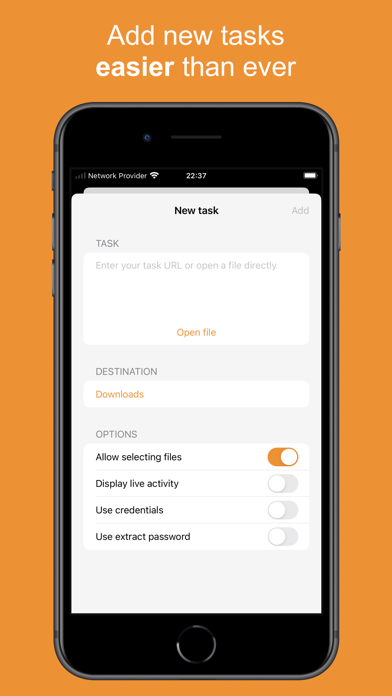
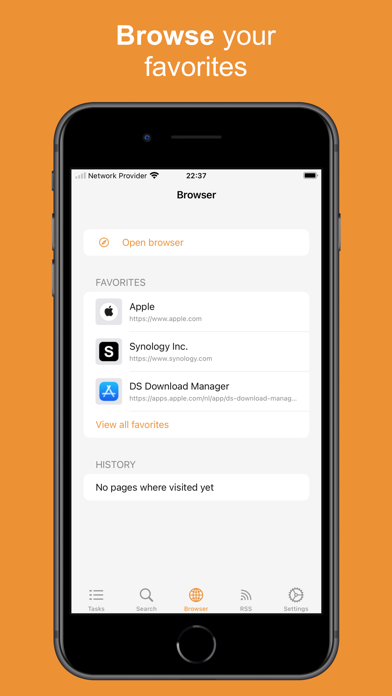
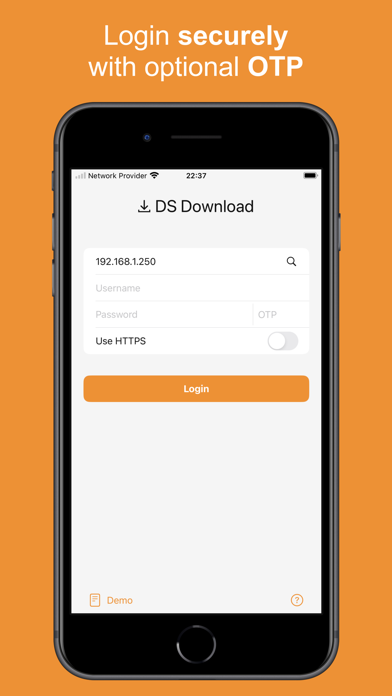

DS Download Manager – Synology NAS download manager for iPhone & iPad Take full control of your Synology NAS download tasks with DS Download Manager, the ultimate unofficial companion app for Synology Download Station (DSM 6.0+ and DSM 7.0+). Search, add, and manage all your download tasks — files, URLs, and RSS feeds — from your iPhone or iPad, anytime, anywhere. Key Features: - Secure login with optional OTP and Keychain storage for all your credentials - Connect to your NAS via QuickConnect, or find it with the built-in network scanner - View all active download tasks with detailed status, progress, and history - Filter, pause, resume, or delete tasks with a single tap - Manage trackers for a download — view, add, or remove them right from the task detail screen - Add new tasks, choose download locations, or upload task files directly - Start tasks from Safari or the share extension for instant downloads - Create tasks automatically from RSS feeds or search modules - Integrated browser to quickly find and add downloads - Widgets for an at-a-glance overview of tasks from your Home Screen - Notifications when tasks complete - Live Activities to track active downloads in real time on your Lock Screen - See your NAS model, DSM version, and storage usage at a glance - Dark Mode and full iPad support for a seamless experience All features are unlocked with a single one-time purchase — no subscriptions. A modern DS Get (DSGet) app for Synology, DS Download Manager takes your Download Station experience to the next level. For questions, feature requests, or bug reports, contact me at [email protected]. DS Download Manager is not affiliated with Synology.
Not on the US charts right now.